
Dashboard gallery
Run bullswarm to open the dashboard. It keeps running on its own, so you can close it at any time without stopping work in progress.
These screens come from a demo install with made-up projects and goals.
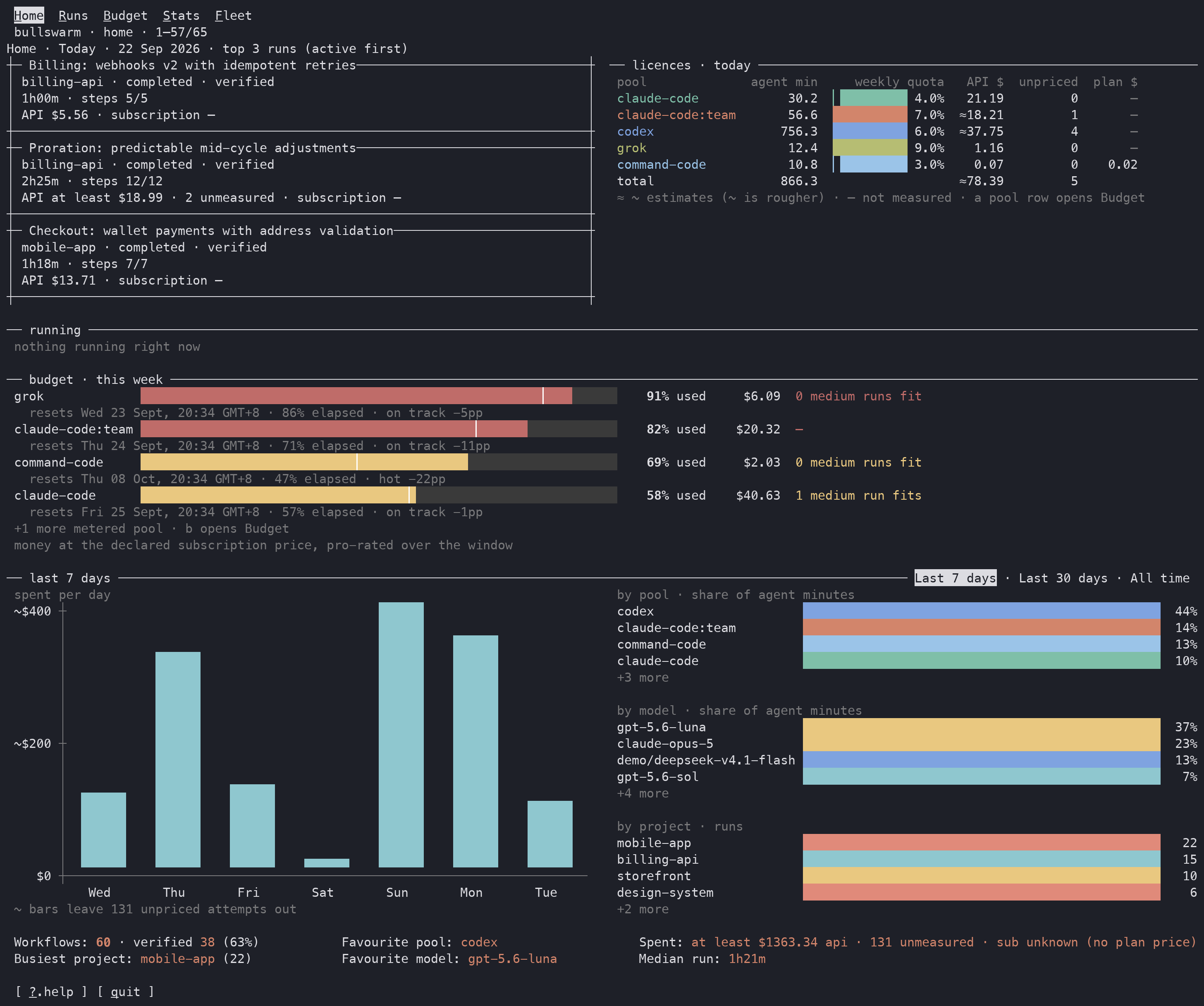
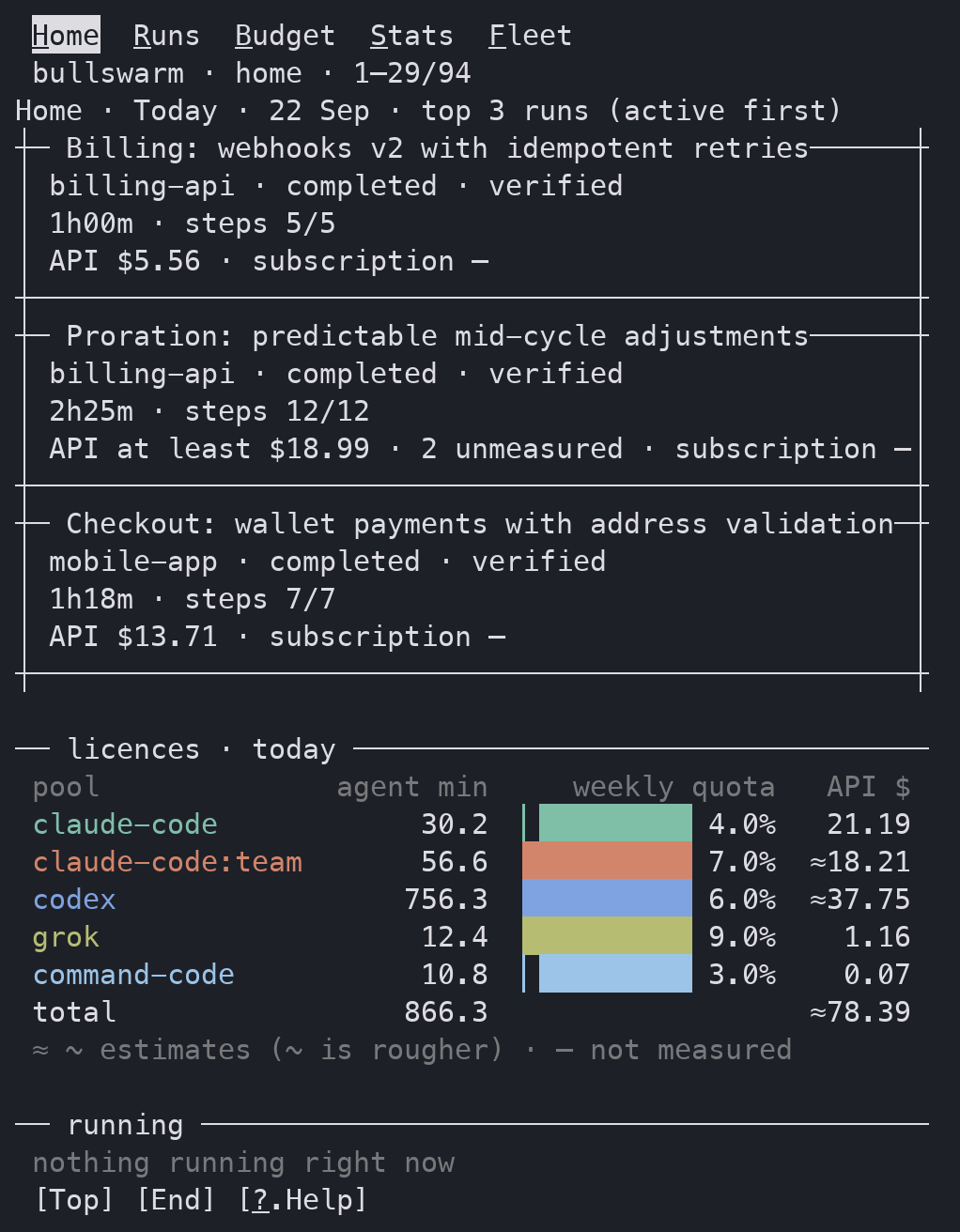
Home
Today's runs, how much of each plan you have used, and spend over the last week.
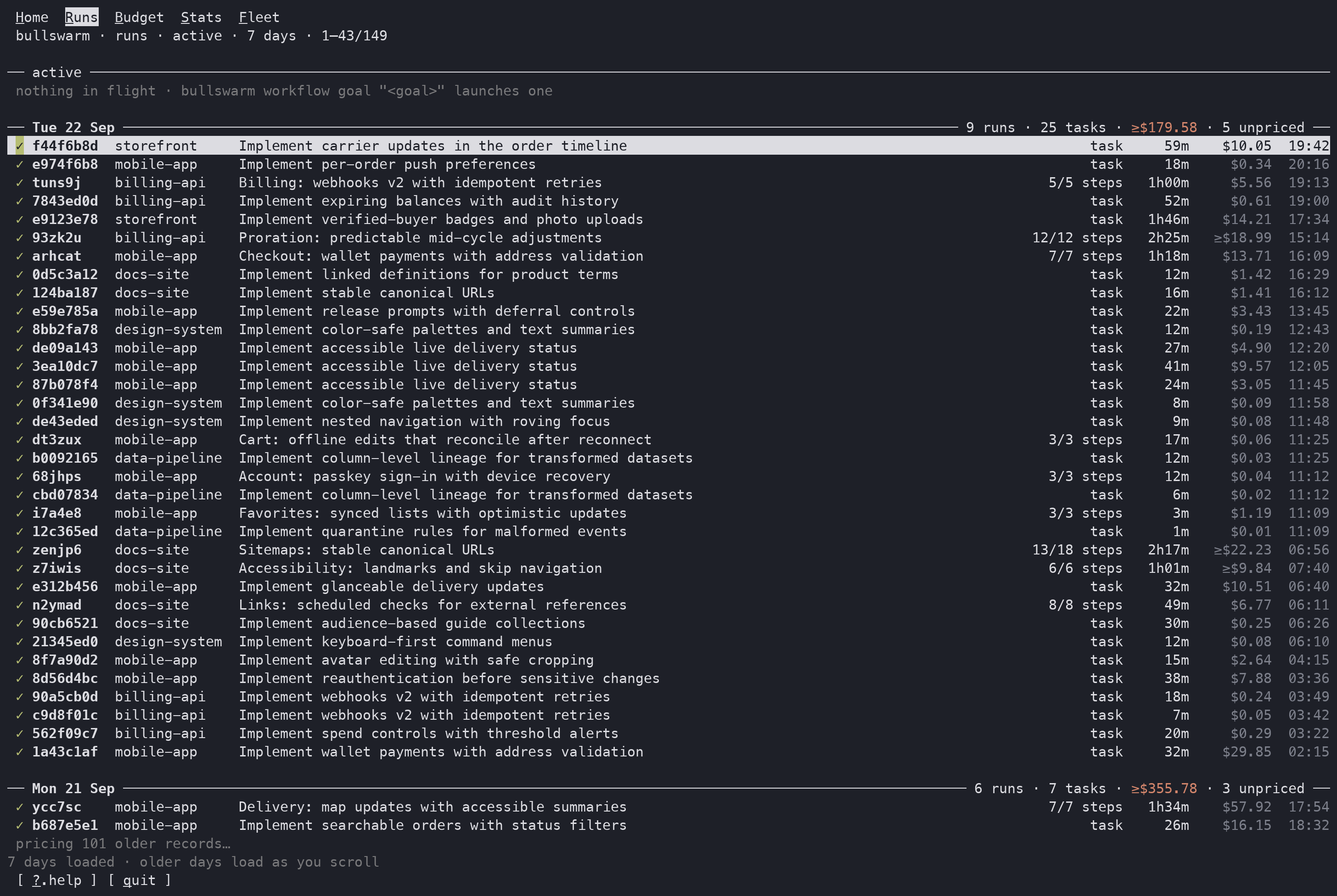
Runs
Every workflow and single task, grouped by day, with steps, duration and cost.
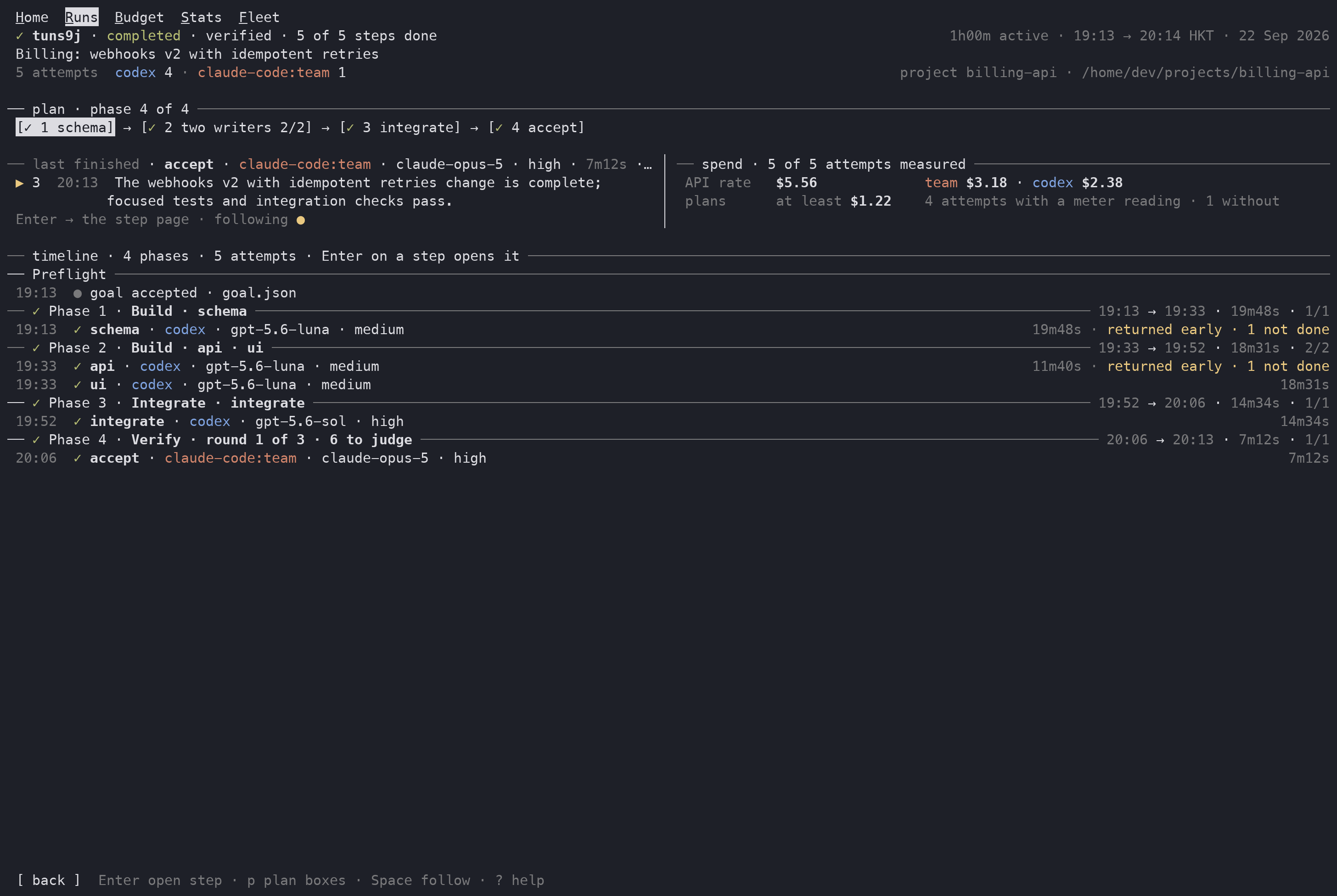
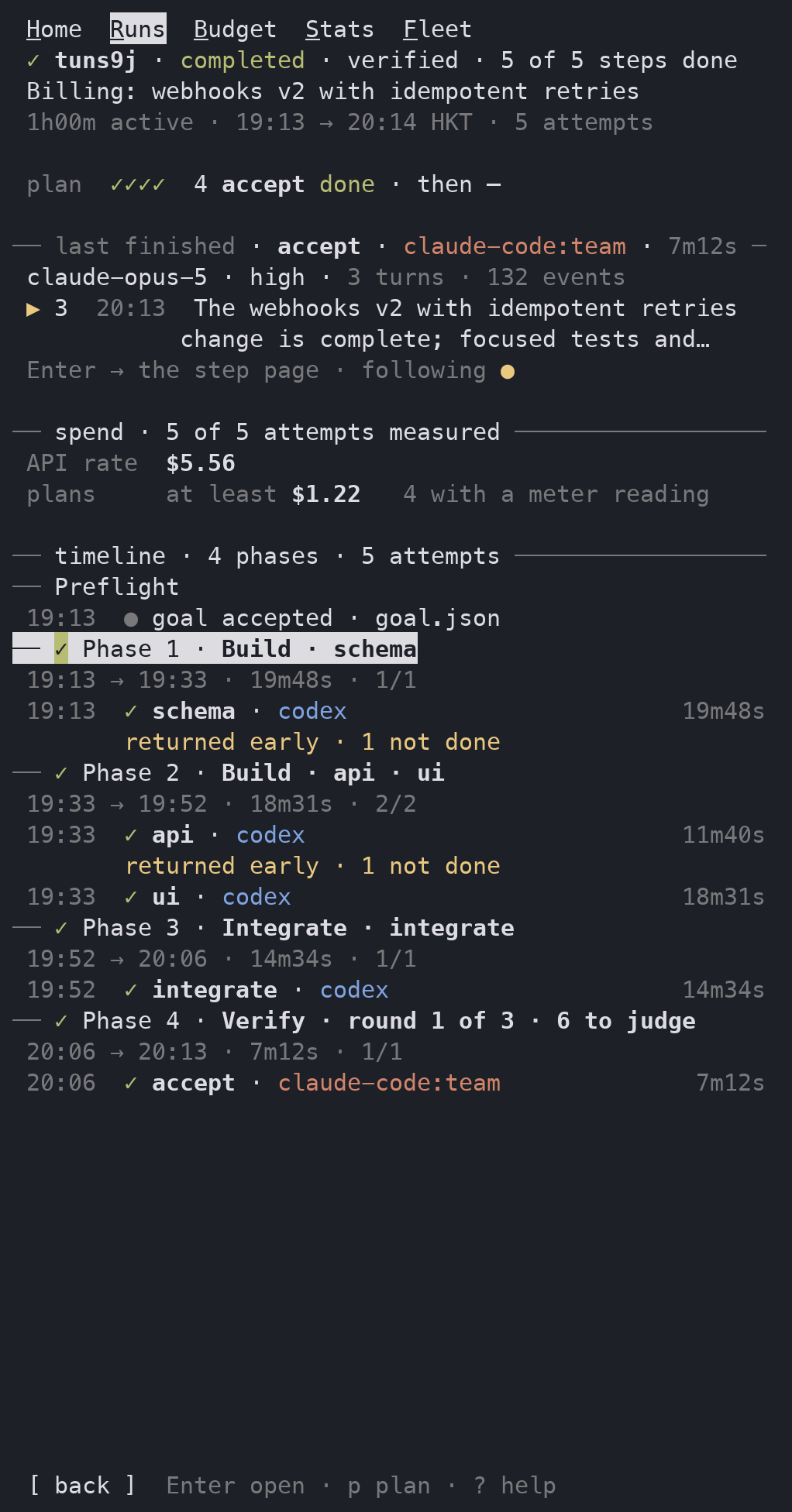
Run
One workflow: its plan, each phase and step, which agent ran it, and what it cost.
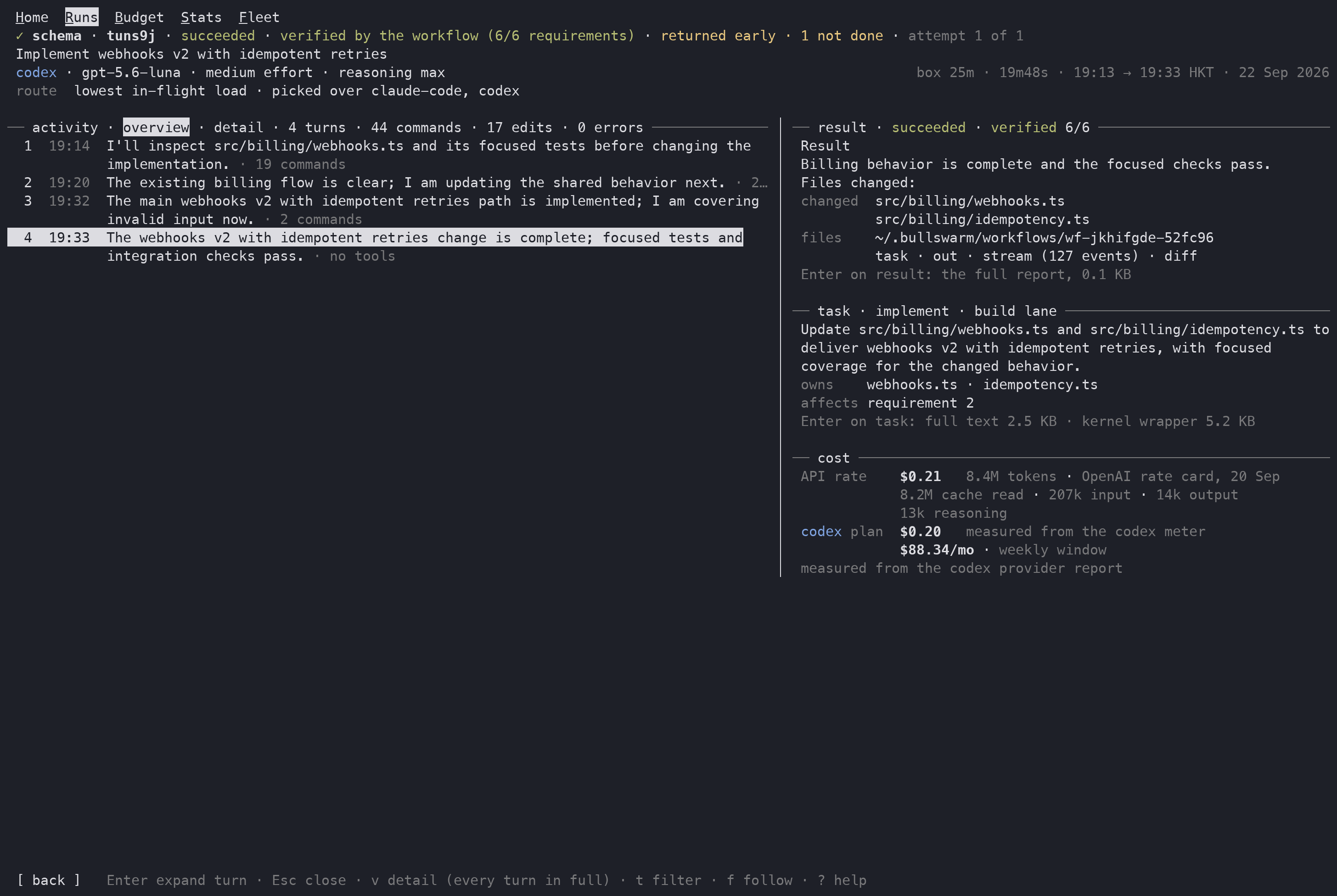
Step
One agent's attempt, turn by turn, next to its result, its task and its cost.
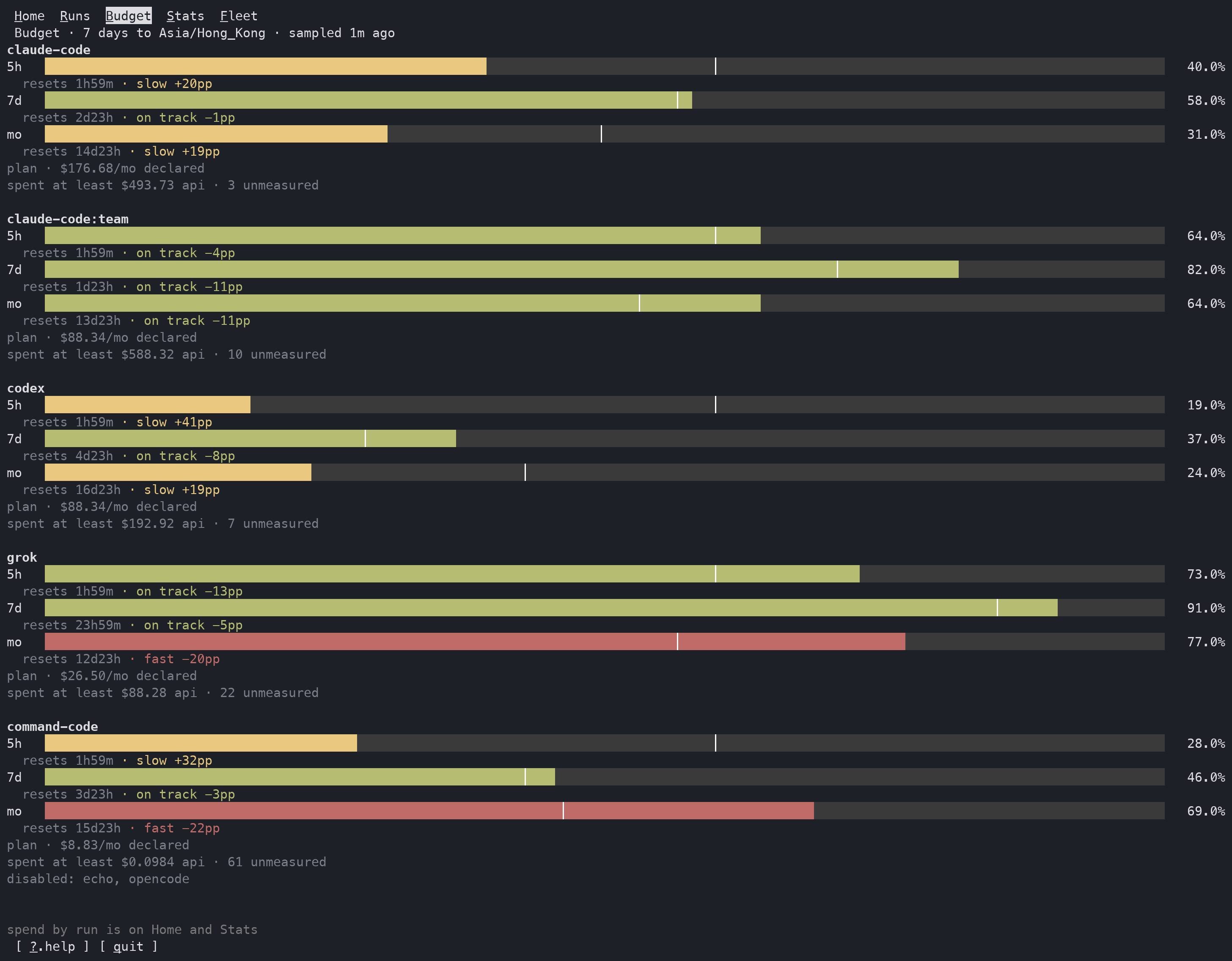
Budget
Each plan's quota windows, how far through each window you are, and whether you are ahead of or behind pace.
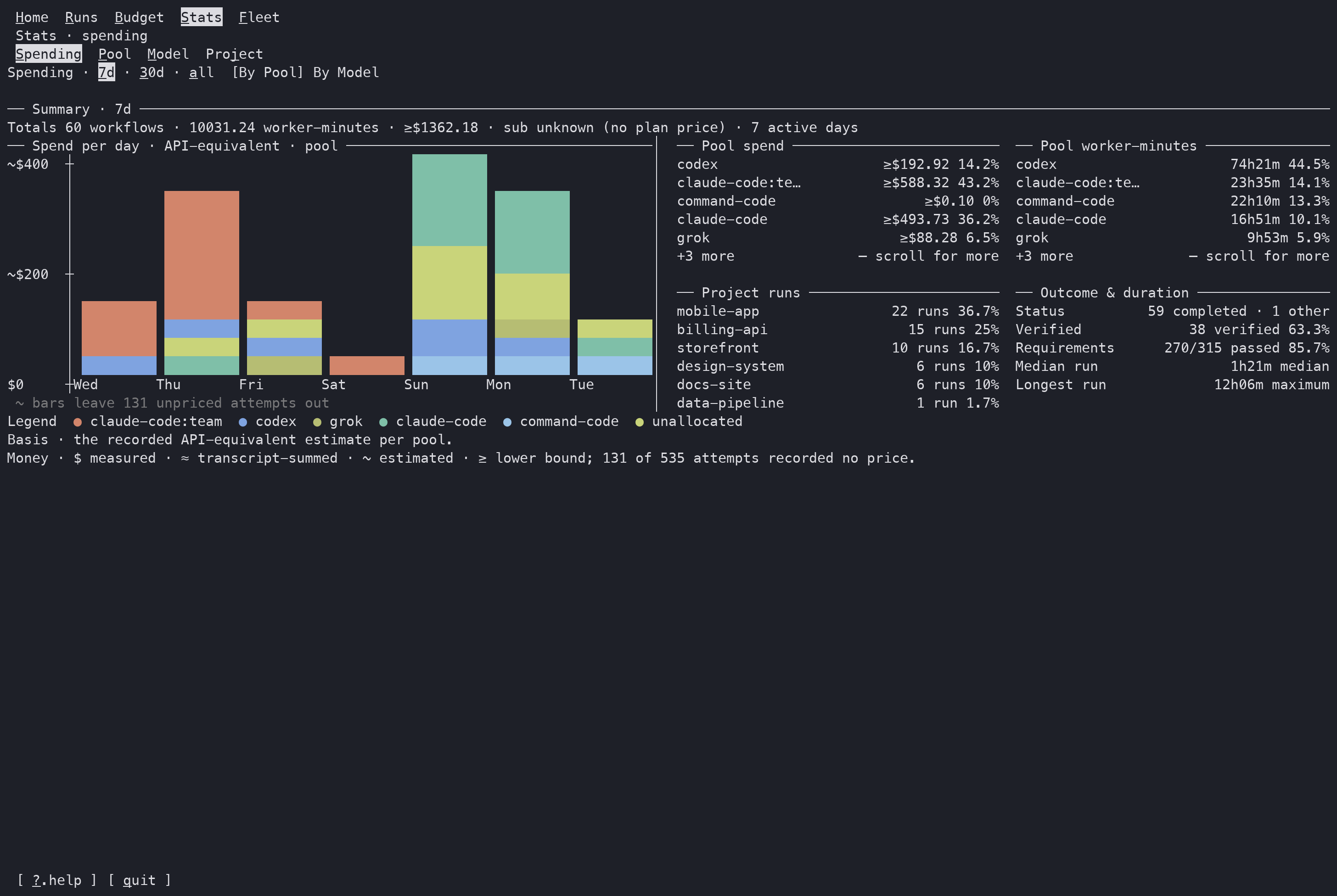
Stats
Spend, agent time, outcomes and verification over days, weeks or all time, by plan, model or project.
On a phone
The dashboard fits a 55-column terminal, so you can check on work from a phone over SSH.
To learn what every part of a page means, read Observing runs.